MARCO NETT

Getting an old doorbell onto Home Assistant, powered by the bell itself
I live in an old building, and I cannot hear the doorbell from my home office, which is a huge pain.
So the goal was to connect something to my doorbell that would wirelessly transmit a signal that I would then be able to integrate into Home Assistant.
Knowing nothing about how the bell is wired, first idea was to try and somehow attach an ESP32 to the bell that would then transmit a Zigbee signal.
Looking online, I found a lot of solutions similar to my idea.
But after finding the schematics of the bell, I realized that the bell is powered by a bell transformer (which outputs 8-12 V AC) and the voltage at the gong is only present while someone presses the button.
Looking into batteries powered / deep-sleep solutions, and how long it takes for a Zigbee device to boot and join the network, I realized that this was a bad idea.
Working off the bell’s own power
With logic board out of the question, the next logical thing was to look into 433 MHz modules. The same RF transmitters that a lot of cheap remote-controlled sockets use.
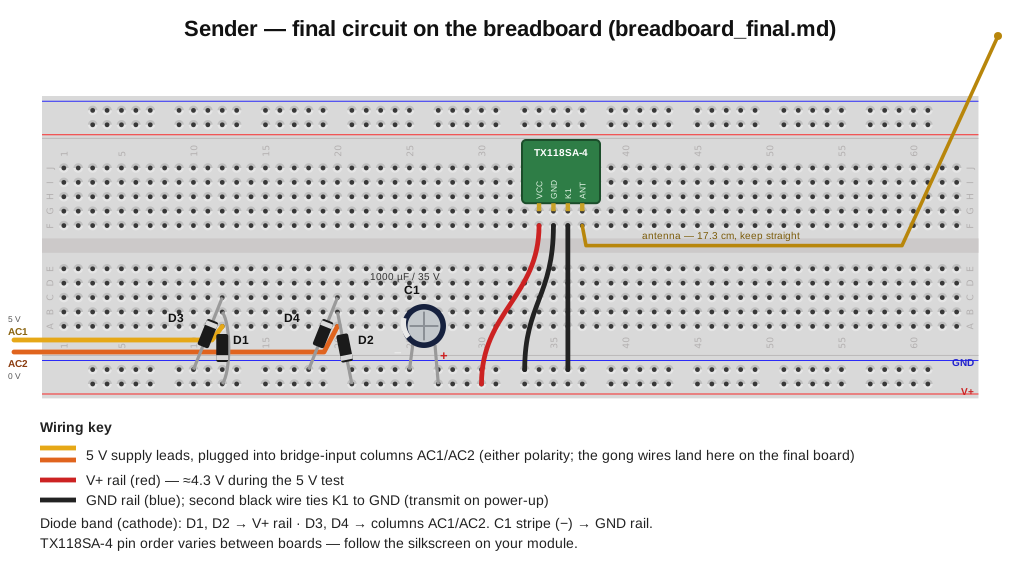
For the sender I (Claude) chose a TX118SA-4, a small pre-made 433 MHz module. It accepts anything from 3 to 24 V, which is the detail that makes the whole thing simple: I can feed it the rectified bell voltage directly, no regulator.
The trick is to wire one of the module’s channel pads (K1) permanently to ground. That makes the module treat that channel as “pressed” the moment it powers up, keeping the transmitter on for as long as the button is held.
The circuit
I’m not going to lie: Claude designed this for me and although I understand what the circuit is for (a bridge rectifier that turns AC into DC), I have no clue what the individual components do.
It consists of:
- four
1N5819Schottky diodes - a
1000 µF / 35 Vcapacitor
Building the sender
I built it up in stages, verifying each before the next:
- module alone on a breadboard
- bridge rectifier circuit with module on a breadboard
- then the same thing soldered onto a perfboard
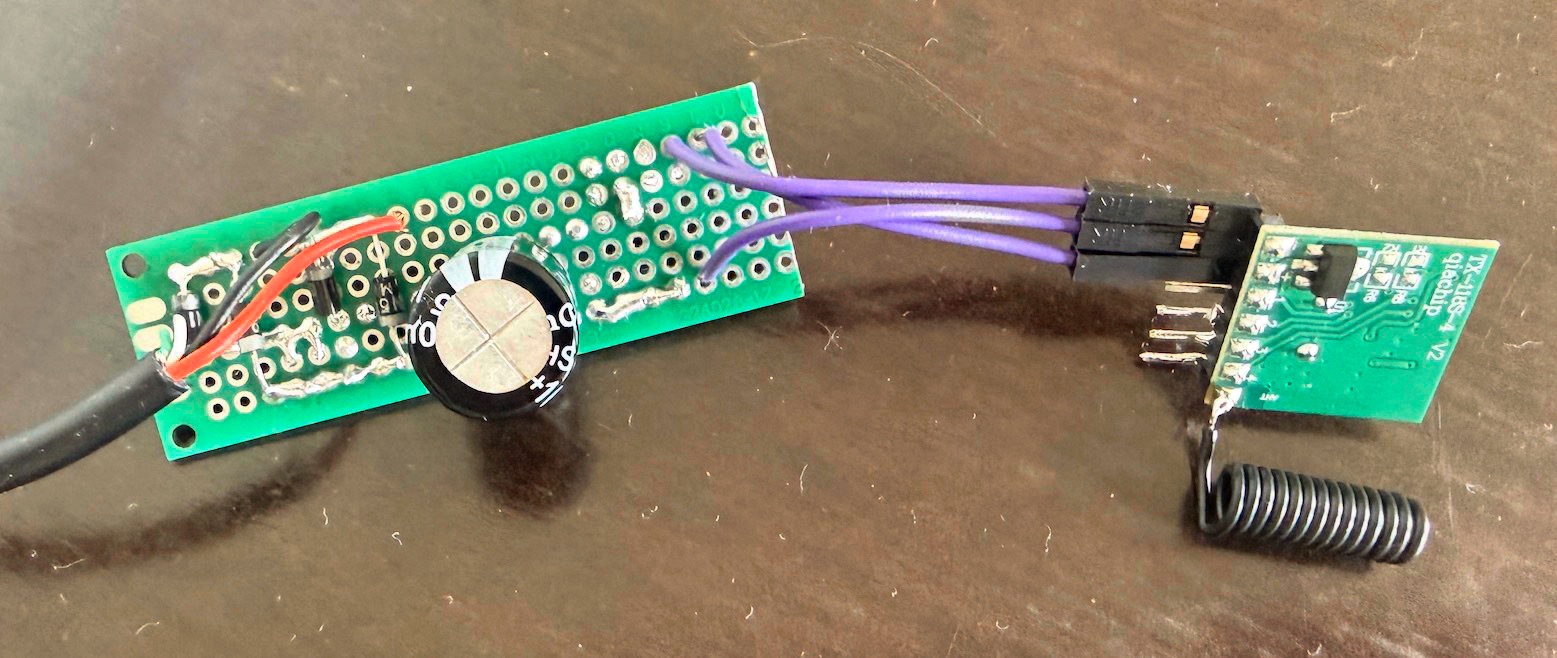
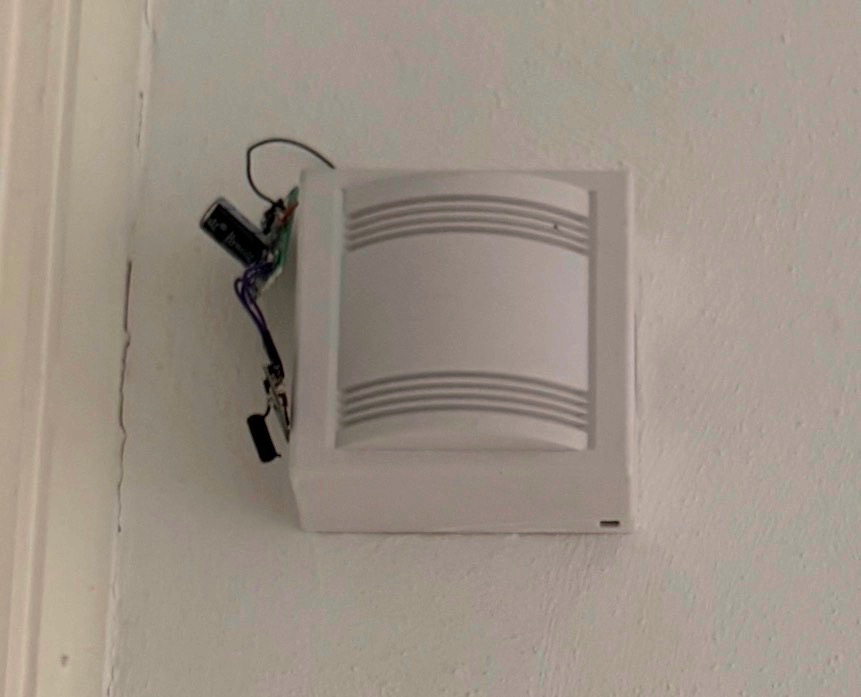
The goal was to fit the board into the enclosure of the bell itself, but because the capacitor ended up being very large and because the whole thing was rather unwieldy, I ended up cutting a small hole into the bell’s enclosure and having the raw board hanging outside the bell.
The receiver
The receiver is an always-on Waveshare ESP32-C6-Zero running ESPHome connected to a RX480E-4 (the 433 MHz receiver).
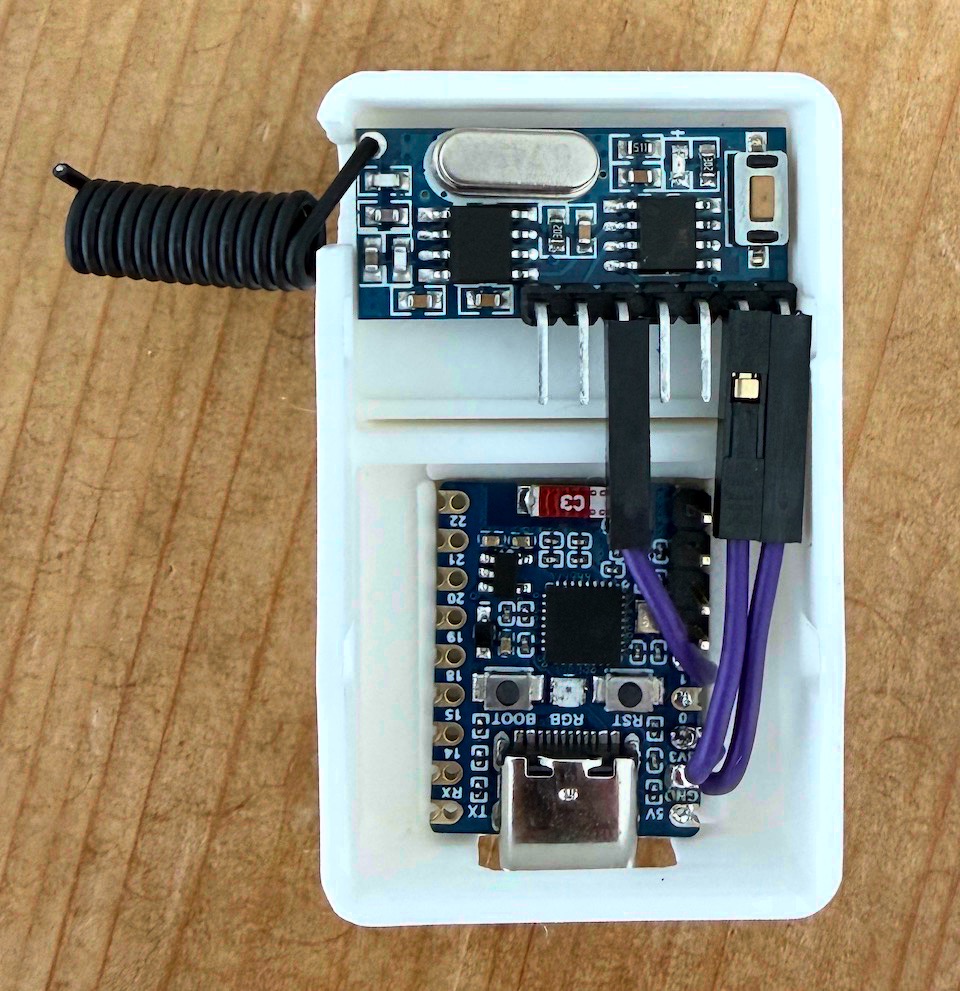
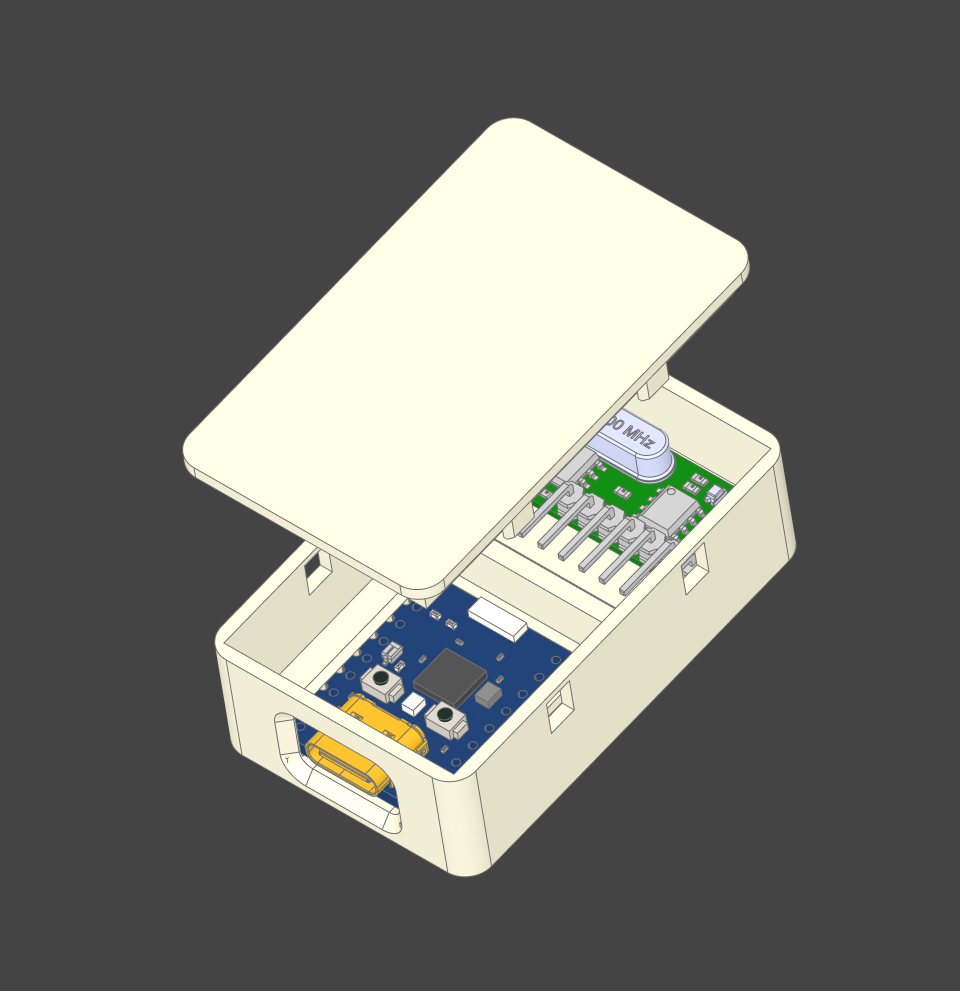
At first I wanted to use another 433 receiver that I had lying around, but I learned that the RX480E-4 comes with a learning decoder built in, which makes pairing the sender and receiver doable purely in hardware without any decoding necessary on the ESP32 side. The receiver also saves the learned code in such a way that it survives power loss.
If I end up having more 433 MHz devices in the future, a dumb receiver + decoding in software on the ESP32 is probably better, as the receiver then can pick up arbitrary signals and decide what to do with them.
This being my first interaction with ESPHome, making a firmware was almost trivial. You define it in YAML, upload it once to the ESP32 via USB and you’re done. Subsequent updates can be done OTA via Wi-Fi.
The enclosure is a simple 3D-printed box with some guide rails for the PCBs to make sure they do not slide around too much. I love building small 3D models like this and recently switched from OpenSCAD to build123d, which is a Python-based CAD library that feels so much more modern.
Hearing the doorbell in my office
Now that the doorbell is a sensor in Home Assistant, I just needed to make something play a sound when the sensor is triggered. I have a Reolink camera with a speaker in my office, so I made a simple automation that does the trick:
alias: "Doorbell: ding dong"
mode: single
max_exceeded: silent
variables:
  # Length of dingdong.mp3. The loop waits this long before checking
  # whether the button is still held and replaying.
  clip_length_ms: 1800
triggers:
  - trigger: state
    entity_id: binary_sensor.flur_doorbell_receiver_doorbell
    to: "on"
actions:
  - repeat:
      sequence:
        - action: media_player.play_media
          target:
            entity_id: media_player.reolink_talk_wohnzimmer
          data:
            media_content_id: media-source://media_source/local/dingdong.mp3
            media_content_type: audio/mpeg
        - delay:
            milliseconds: "{{ clip_length_ms }}"
      until:
        - condition: state
          entity_id: binary_sensor.flur_doorbell_receiver_doorbell
          state: "off"